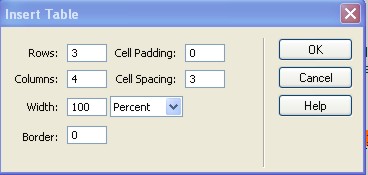
Insert
a table  with the following specs: with the following specs: |
 |
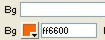
| Set
the cells of the first row to have a different background
color. |
 |
You may do this individually to each cell or you may
select the whole row and do it that way. Once done set
the alignment of each cell to be centre justfied so
that the text will be centered.(normal word processing
stuff) |
|
|
You
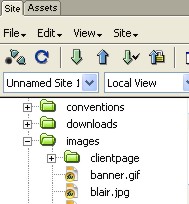
may now insert the images from the image folder:
Put your cursor into the cell that you want the image
to appear. Click and drag the image you want from the
images folder. In this case I would drag the blair.jpg
image into a cell. |
 |
| Do
this for each of the other images. |
|
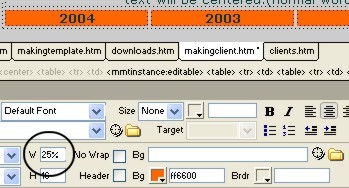
| You
will need to select each cell in the first row individually
to change the percentage of its size. For this exercise
we are only having 4 columns across, so that means we
can have each cell set at 25% |
 |
The
only thing left to do now is to put the appropriate
information into each cell. You will probably need
to align the contents of each cell to have the information
sit where you want. |
| Your
page should look like this. |
|
| |
|